 TM
TMFinance & accounts
The lab's money, from the till to the accountant
Cash book and bank, cheques, expenses, supplier bills, profit and loss and cash flow, built from the invoices and payments your team already records. Nothing is typed twice.
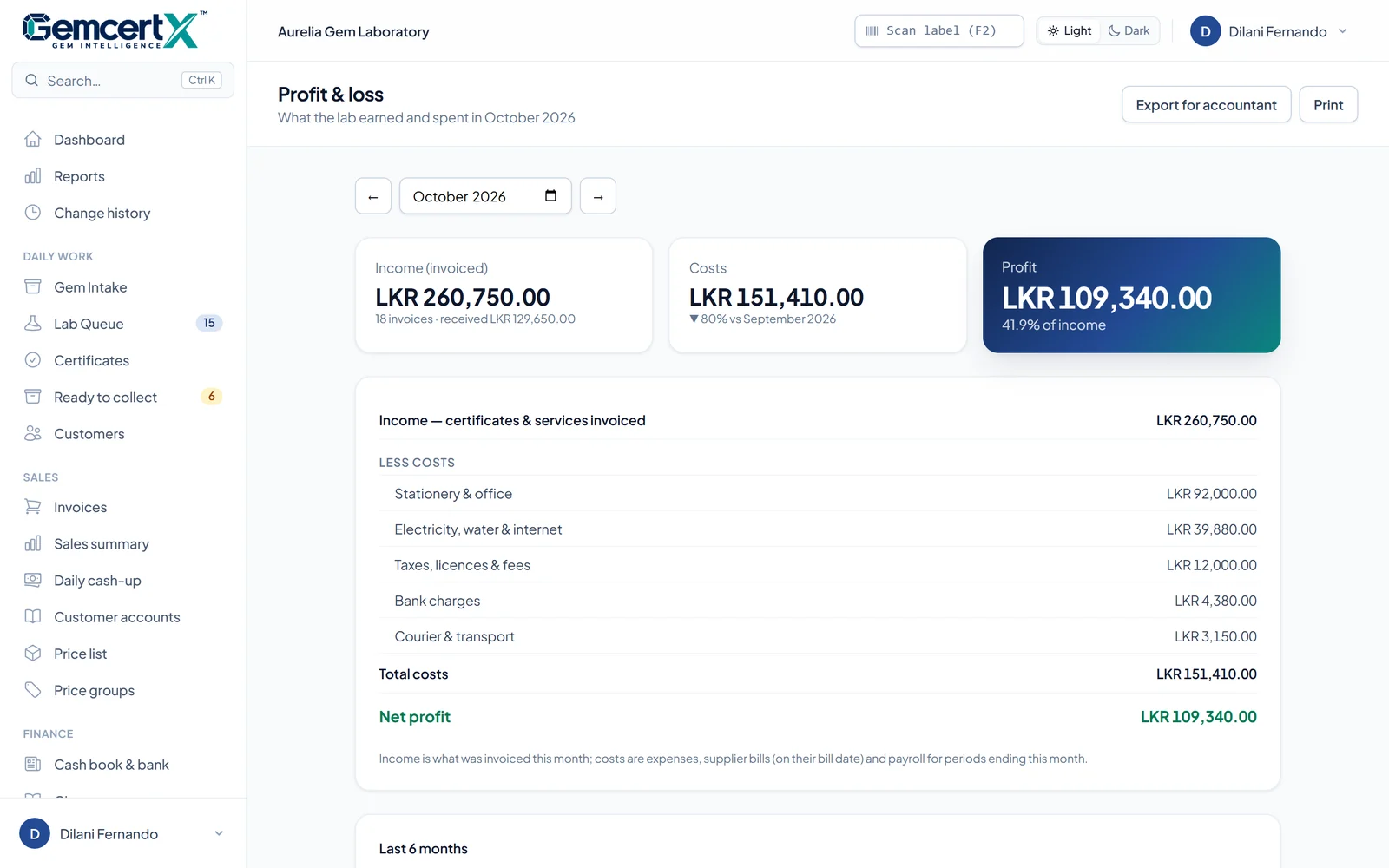
Eight tools, one set of books.
Every number comes from something your team already did: a payment taken, a cheque received, a bill recorded. The books keep themselves.
Cash book & bank
Professional +Money in and out of the till and each bank account, with deposits from the till and ticks against the bank statement.
Post-dated cheques
Professional +Every cheque in hand, what to bank this week, and what happens when one clears or bounces.
Expenses & petty cash
Professional +Rent, electricity, chemicals and courier with category, supplier and a receipt photo; a petty-cash box that balances.
Supplier bills
Professional +What the lab owes for equipment and supplies, when it's due, and part payments against each bill.
Profit & loss
Professional +Income against costs every month, with the last six months side by side.
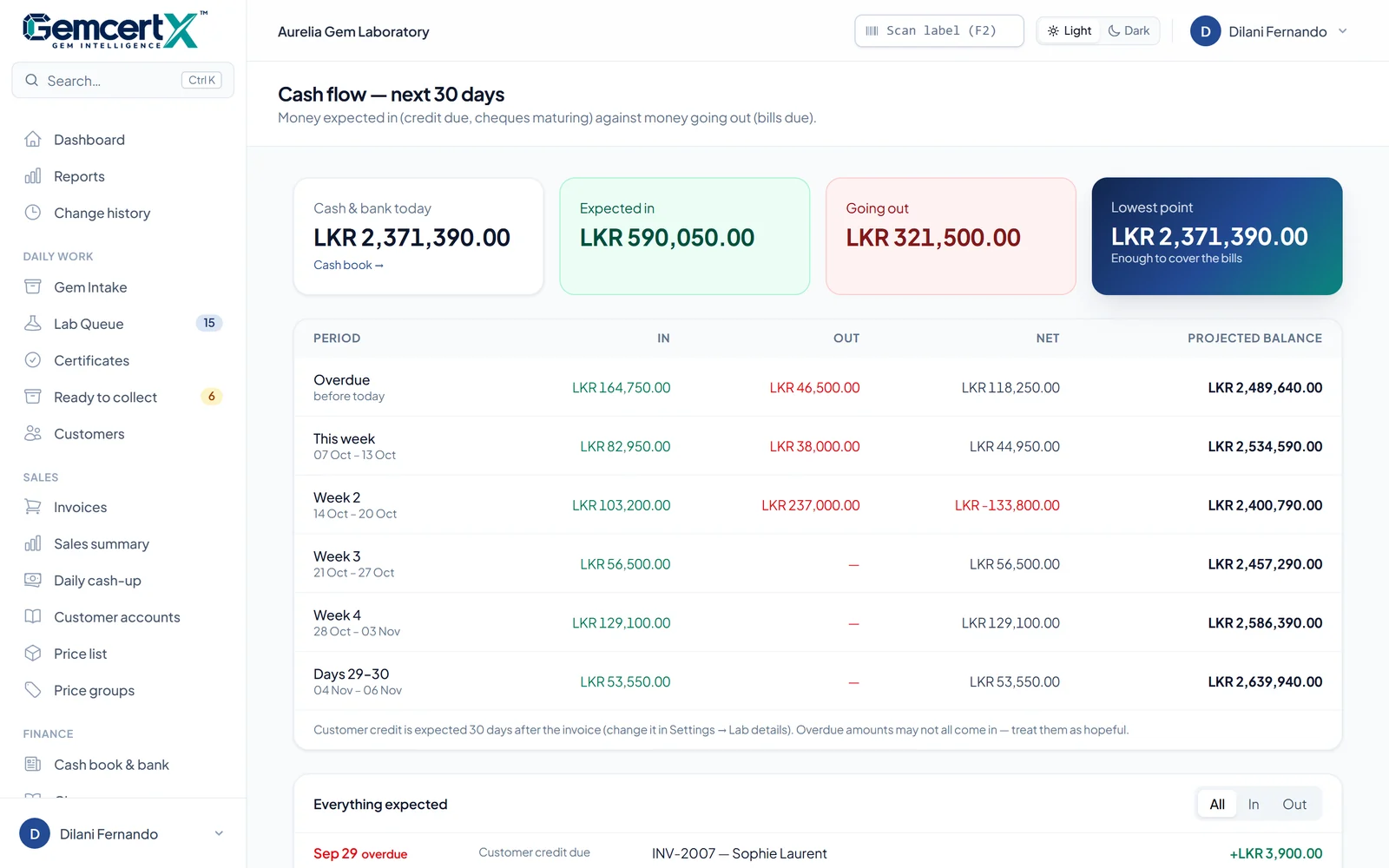
Cash flow, 30 days
Professional +Credit due and cheques maturing against bills due, week by week, with the lowest point flagged.
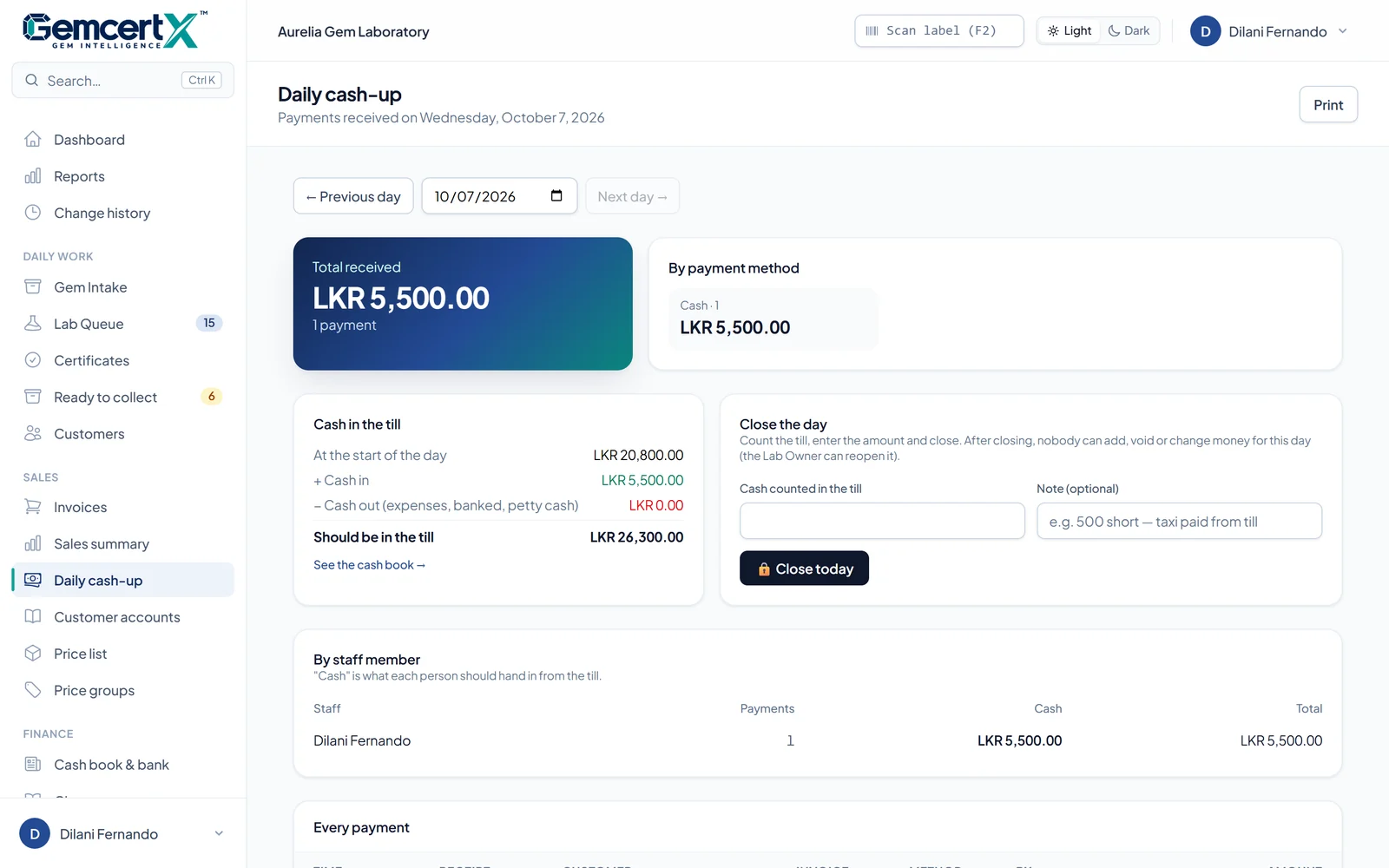
Day close
Professional +Count the till and close the day. After that, nobody changes that day's money without the Lab Owner.
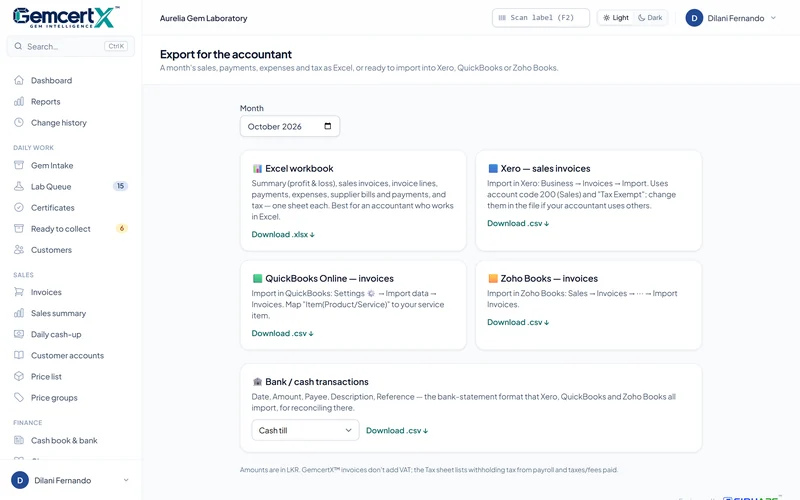
Accountant export
Professional +A month's sales, payments, expenses and tax as Excel, or ready to import into Xero, QuickBooks or Zoho Books.
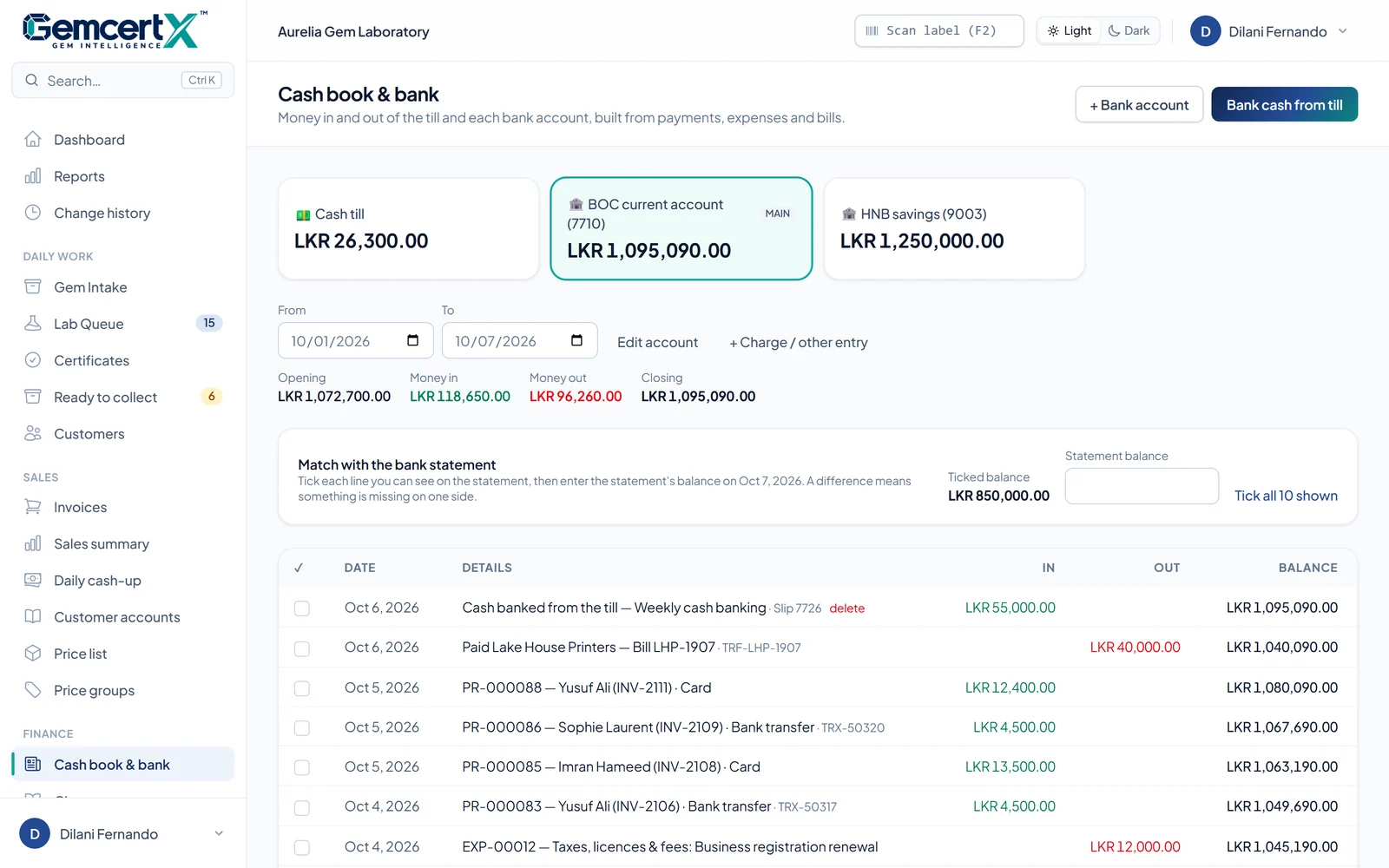
The till and the bank, line by line.
Cash payments land in the till; card, transfer and cleared cheques land in the bank. Expenses, petty-cash top-ups and supplier payments come out of the right place on their own.
- Bank cash from the till: "LKR 120,000 to BOC"
- Tick each line you see on the bank statement
- The difference shows what's missing on either side
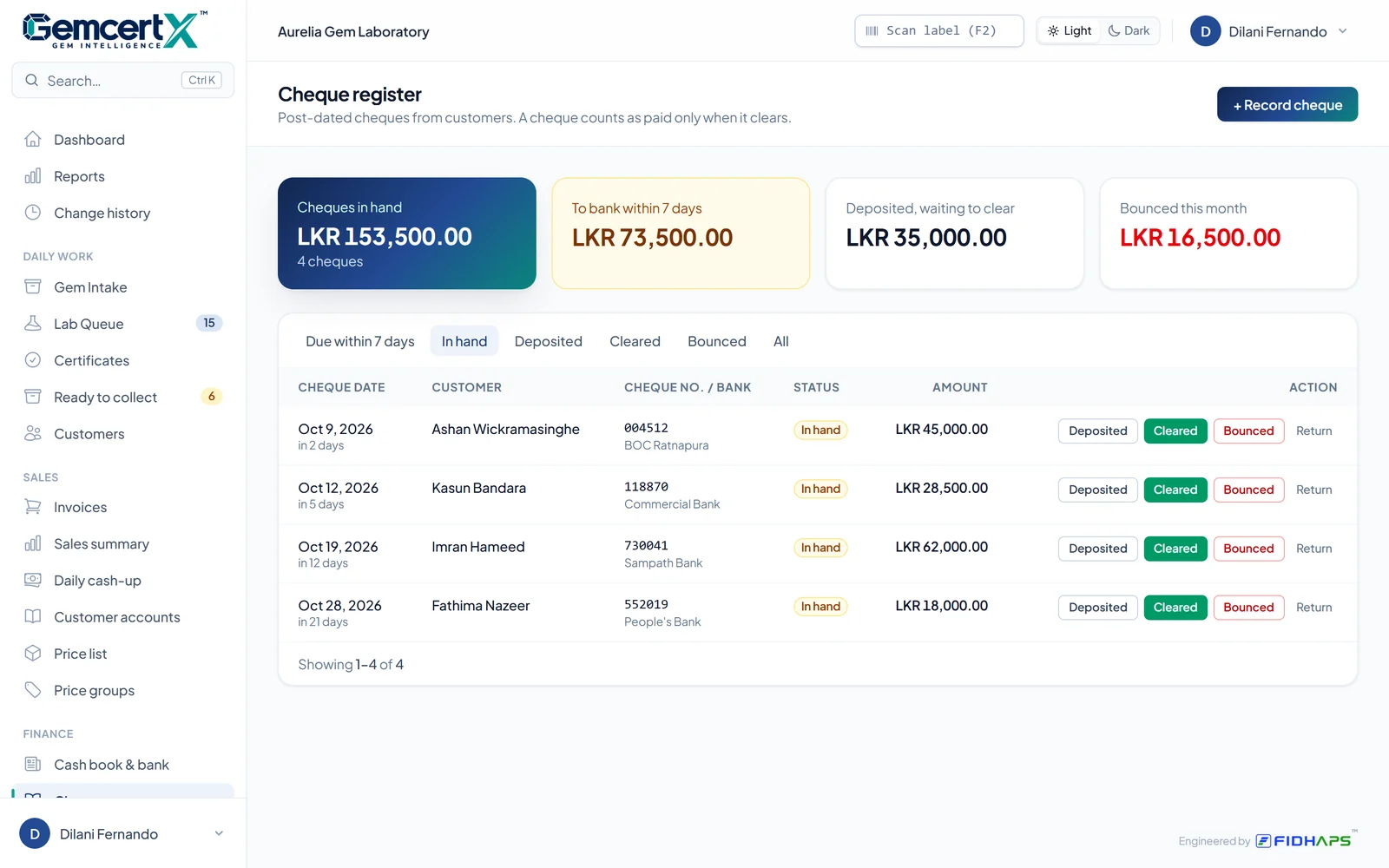
Cheques counted only when they clear.
Record a cheque the day it's handed over, even if it's dated ahead. It becomes a payment on the customer's account only when it clears, and a bounce puts the amount owed back automatically.
- What to bank in the next seven days
- Deposited, cleared, bounced or returned
- Bounced this month, at a glance
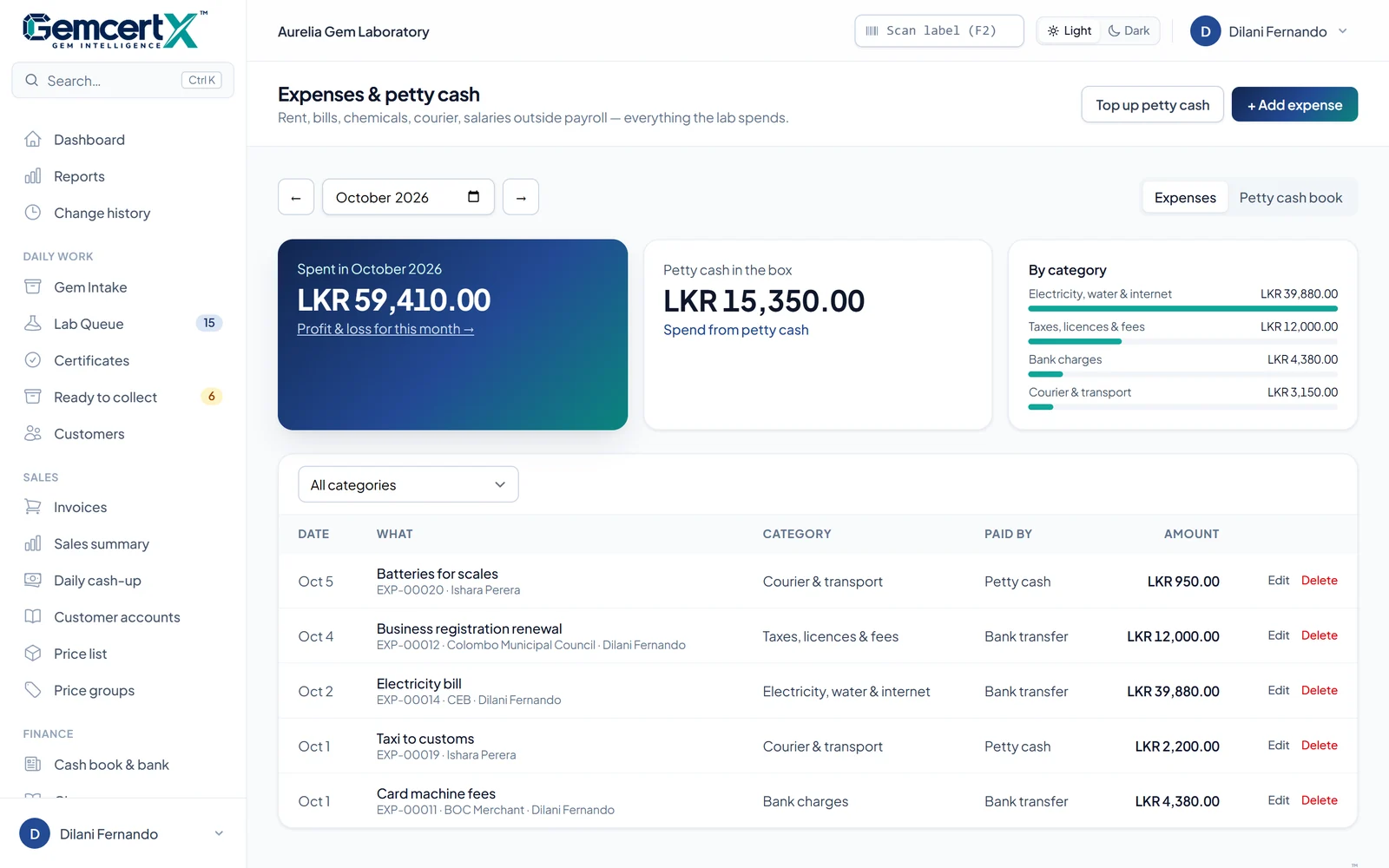
Every rupee out, with its receipt.
Rent, electricity, chemicals, courier fees and wages outside payroll, each with a category, supplier, payment method and a photo of the receipt. Tea, taxis and stationery come out of a petty-cash box that can't go below zero.
- Spending by category for the month
- Petty-cash book with top-ups and a running balance
- Supplier bills with due dates and part payments
Will there be enough next month?
The next 30 days, week by week: money expected from customers on credit and cheques maturing, against supplier bills falling due. The lowest point tells you whether to chase payments or move a bill.
- Starts from today's cash and bank balances
- Overdue amounts shown separately
- Every expected item, with a link to it
Day close
Close the day. Lock the books.
At closing, the cash-up shows what should be in the till. Count it, enter the amount and close the day; any shortage or overage is recorded with a note. After that, payments, voids and expenses for that day are locked, and only the Lab Owner can reopen it, with a reason kept in the change history.
- Opens each day with the cash counted the night before
- Closed days can't be changed by staff
- Every finance change in the change history
Also in Finance
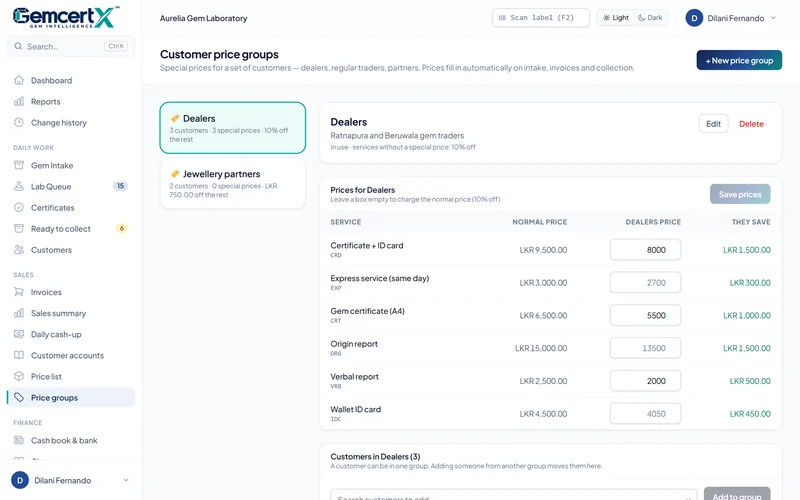
Prices for each customer. Files for the accountant.
Do we still need our accountant?
Yes. GemcertX™ keeps the day-to-day books tidy and gives your accountant the month in the format they already use: Excel, Xero, QuickBooks or Zoho Books.
Is a post-dated cheque counted as paid?
No. It's listed as a cheque in hand. It becomes a payment only when you mark it cleared, and a bounce after clearing puts the amount owed back on the customer's account.
Who can see the finance pages?
The Lab Owner and Lab Managers by default. The Lab Owner can change this for each role on the Roles & access page.
Can a closed day be corrected?
Only by the Lab Owner, who reopens the day with a reason. The reopening and every change are kept in the change history.
Which plan includes finance?
Professional and Enterprise, together with invoices, payments and customer accounts. Compare plans.
Book a demo
Give every certificate the proof it deserves.
See GemcertX™ running with your own lab's name and logo. We set it up, bring your existing records across, and train your team.